
Why small prompt changes matter
In AI image generation, a prompt is not only a description of objects. It also contains signals about lighting, mood, camera feel, visual style, color, and atmosphere. Changing only a few words can shift the result from bright and peaceful to dramatic and moody.
This is why prompt variations are useful. Instead of rewriting the whole prompt, you can keep the main subject the same and change one part at a time. The comparison becomes easier to understand, and you can learn which words are actually affecting the image.
Example setup
For this comparison, both prompts use the same basic scene: a cozy reading corner with a wooden chair, a small table, and a cup of tea. The style is Default, the image shape is Landscape, and the same random seed is used for both generations.
Style: Default
Image shape: Landscape
Seed: same seed for both examples
Main subject: a cozy reading corner with a wooden chair, a small table, and a cup of tea
Keeping these settings consistent makes the comparison more useful. The main change is the lighting and mood phrase, so the difference between the two images is easier to see.
The two prompt variations
The first prompt asks for soft morning light and a warm, calm atmosphere. The second prompt keeps the same reading corner, but changes the lighting and mood to neon night light and a moodier atmosphere.
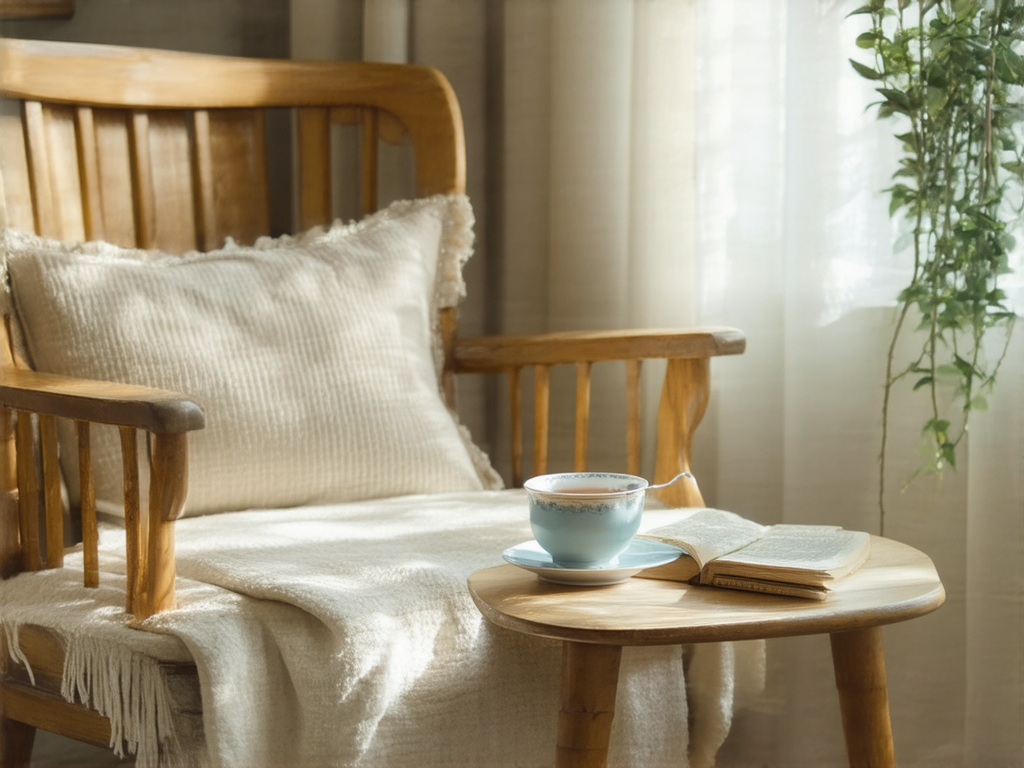
a cozy reading corner with a wooden chair, a small table, a cup of tea, soft morning light, warm and calm atmosphere, detailed interior
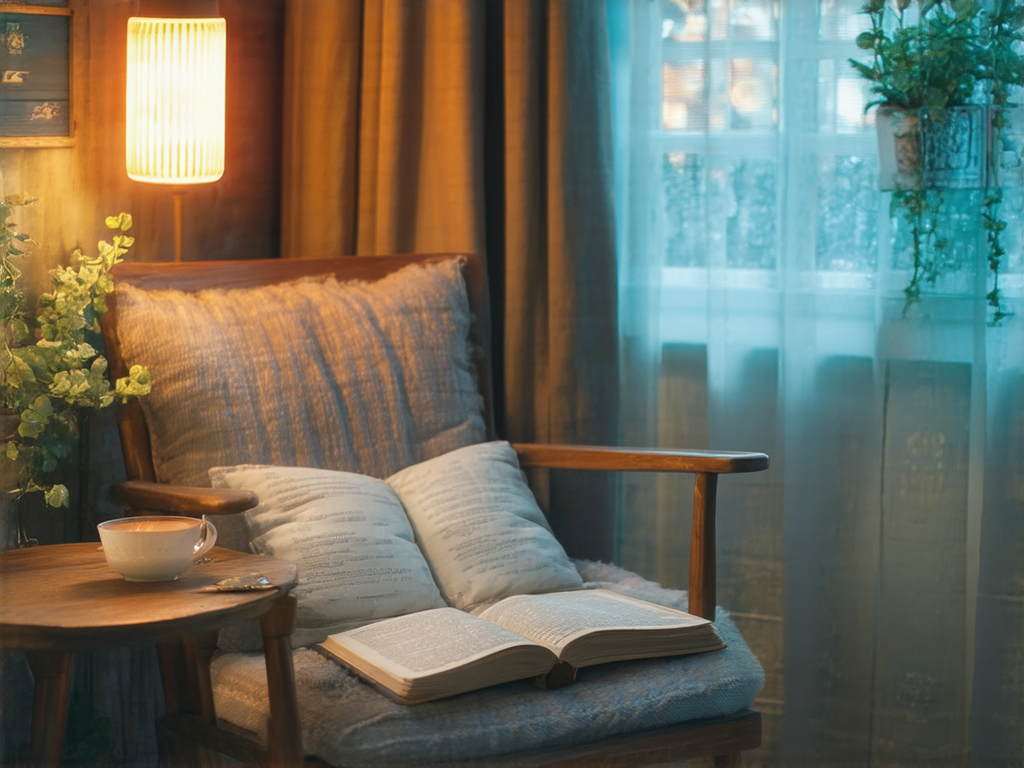
a cozy reading corner with a wooden chair, a small table, a cup of tea, neon night light, moody atmosphere, detailed interior
The subject words are almost identical. The key difference is the lighting and mood language:
soft morning light, warm and calm atmosphere

changed to:

neon night light, moody atmosphere
Image comparison
The difference is easy to see. The first image feels bright, gentle, and natural. The second image has stronger color contrast, a more dramatic interior, and a clear split between warm lamp light and cooler window light.
What changed in the images?
The subject remains similar, but the visual interpretation changes. This is common when you change lighting and mood words. These words do not only affect brightness. They can influence color, shadows, perceived time of day, background details, and even the arrangement of objects.
Lighting
In the morning-light version, the scene is mostly lit by soft natural light. The image feels airy and quiet. In the neon-night version, the lighting becomes more artificial and theatrical, with a stronger sense of contrast between warm and cool areas.
Color palette
The first image leans toward cream, beige, and warm wood tones. The second image adds stronger blue and orange color separation. This happens because words like “neon” and “night” often push the model toward colored lighting and a more stylized atmosphere.
Mood
The phrase “warm and calm atmosphere” makes the first image feel peaceful and domestic. The phrase “moody atmosphere” makes the second image feel more cinematic and intimate, even though the main objects are still similar.
Composition and details
Even with the same seed, the composition is not guaranteed to stay perfectly fixed. The chair, table, cup, plant, book, and window still appear in related ways, but the model reorganizes details to match the new lighting and mood. This is why prompt variations are best compared as visual directions, not as exact object-by-object edits.
Why use the same seed?
A seed helps make comparisons more controlled. When you keep the seed the same and change only part of the prompt, it becomes easier to see how that prompt change influenced the result. It does not freeze every detail, but it can reduce some of the randomness.
If you change the seed, style, shape, and prompt all at once, the result may look very different, but it becomes harder to know why. For learning, it is better to change one thing at a time.
Useful types of prompt variations
Lighting and mood are only one way to create variations. You can also make small changes to camera distance, weather, materials, color, season, or time of day.
soft morning light
warm sunset light
moonlight
neon lighting
peaceful atmosphere
mysterious atmosphere
playful mood
quiet and nostalgic mood
clear sky
after rain
foggy morning
light snowfall
wide shot
close-up
low angle view
overhead view
How to compare prompt variations
When testing prompt variations, use a simple process. Start with a base prompt, duplicate it, and change only one phrase. Then compare the generated images and ask what changed visually.
- Keep the main subject the same.
- Keep the style, shape, and seed the same when possible.
- Change one phrase, such as lighting, mood, season, or camera angle.
- Compare the images side by side.
- Decide whether the change moved the image closer to what you wanted.
This method is especially useful for beginners because it turns prompting into a visible experiment. Each variation teaches you something about how the model responds to language.
Avoid changing too much at once
If a prompt changes from “a cozy reading corner” to “a futuristic cyberpunk library with robots and holograms,” the result will probably look very different. That can be useful creatively, but it is no longer a small variation. For learning, smaller changes are easier to understand.
soft morning light

changed to:

neon night light
a cozy reading corner

changed to:

a futuristic underground library with robots, holograms, and cyberpunk architecture
Both approaches are valid, but they serve different goals. Small changes are best for learning and refining. Large changes are better for exploring new ideas.
A simple variation workflow
- Write one clear base prompt.
- Generate an image with Default style and a shape that fits the scene.
- Keep the same seed for the next test.
- Change one phrase, such as lighting or mood.
- Compare the result and keep the version that feels closer to your goal.
- Repeat with another small change if needed.
This keeps the process calm and understandable. Instead of guessing, you build a small set of prompt experiments and learn from the differences.
Final tips
Prompt variations are one of the fastest ways to improve your AI image results. You do not need to write a complicated prompt every time. Often, a small phrase such as “soft morning light,” “golden hour,” “moonlit,” or “moody atmosphere” can change the image more than you expect.
Start with one clear prompt, change one thing at a time, and compare the images. Over time, you will build a better sense of which words control lighting, mood, composition, and style.